Mod «Global Positions» for Don't Starve Together
Restores map sharing functionality without requiring the A New Reign beta.
Features:
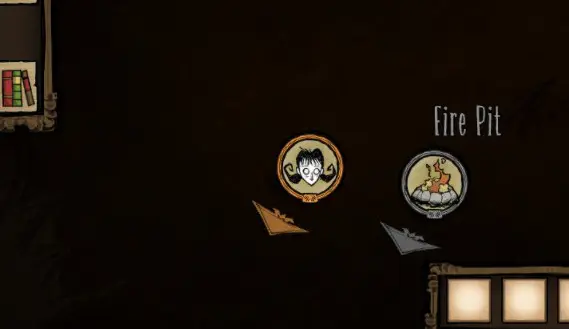
- Display other players on the map with hover identification.
- Show player indicators on the screen edge when players are far away.
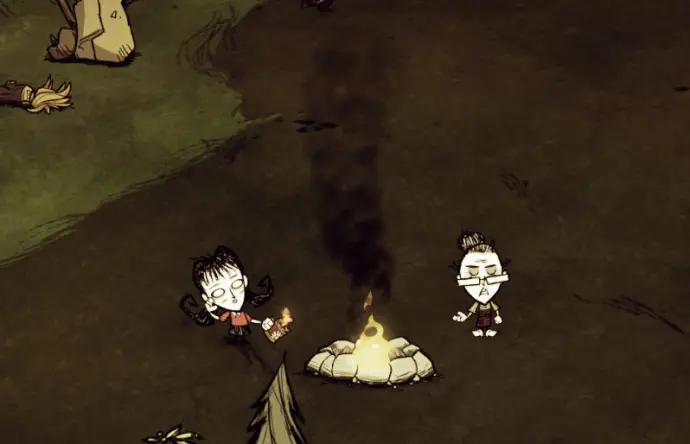
- Light signal fires that appear as indicators and on the map.
- Ping the map by alt+clicking (or clicking the right stick on controllers) to mark points of interest. Muting a player hides their pings.
- Opt out of location sharing via the scoreboard button.
- Automatically share map discovery with other players.
Wilderness Mode: By default, this mode ignores most configuration settings. It hides player positions but always shows campfires. Enable the Wilderness Mode Override in settings to use custom configurations.
Configuration Options: Access settings via the «Configure» button on the mods screen.
- Player Indicators: Set to Always (always visible), Scoreboard (visible only when scoreboard is open), or Disabled (removes indicators and map icons).
- Player Icons: Choose to Show or Hide player icons on the map.
- Show Fires: Select Always (smoke signals appear regardless of fuel), Charcoal (requires charcoal fuel for smoke signals), or Disabled (turns off smoke signals).
- Fire Icons: Choose to Show or Hide fire icons on the map when smoking.
- Share Map: When enabled, your map updates as other players explore. This requires player icons or indicators to be visible.
- Wilderness Override: Disabled applies default Wilderness rules (fires always show smoke; player icons and indicators are hidden). Enabled allows custom settings in Wilderness Mode.
- Pings: Enable or disable the ability to alt+click the map to create visible markers.
Most options apply only to the host. Joining players can only control whether player indicators appear always or only on the scoreboard.
Version 11.04.2024: Download